# 动作和链接
版本12.1中新增
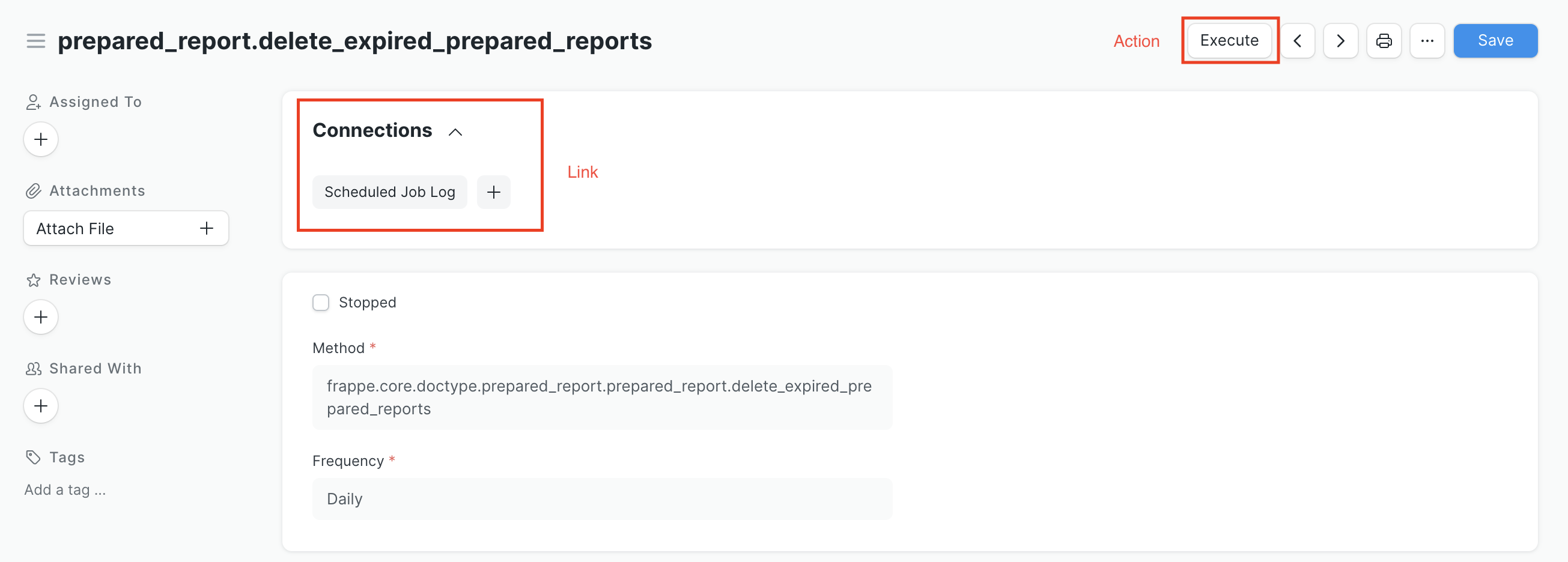
动作和链接(也称为连接)是提供给最终用户与文档更多交互的两种方式。下面的图片展示了它们是什么:
# 动作
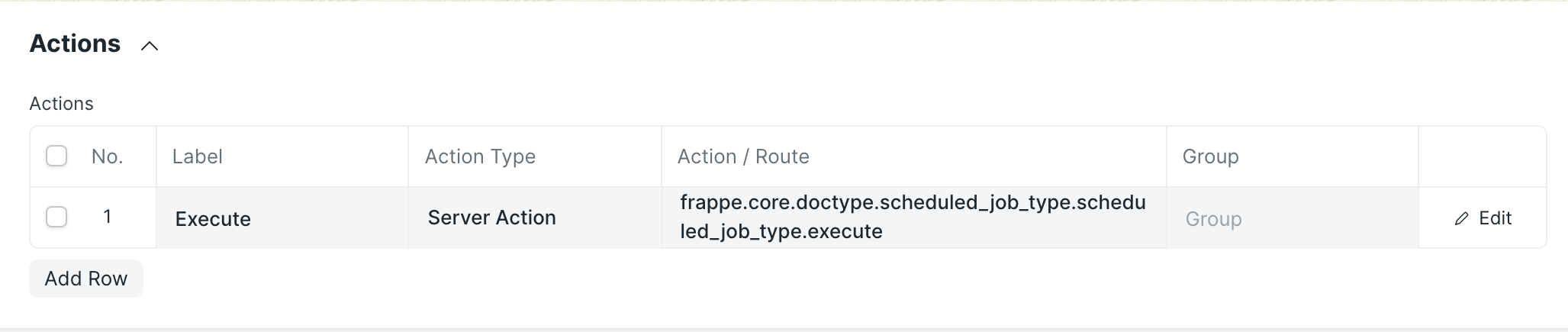
文档类型(DocType)可能有一些文档类型动作,这将在文档类型视图中创建一个按钮。支持的动作有:
服务器动作:这将触发一个白名单中的服务器动作。
路由:这将重定向到一个给定的路由。
# 动作的配置
# 在自定义应用中配置动作
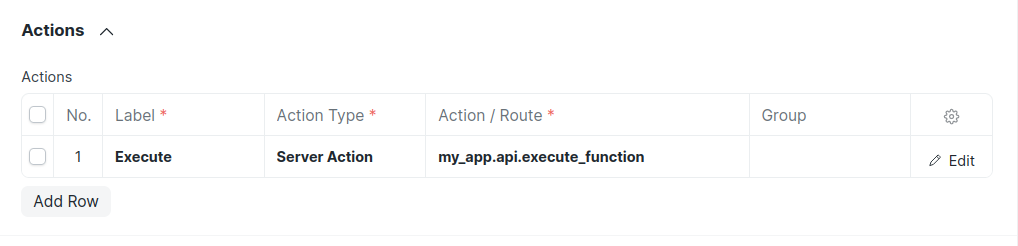
要在您自己的应用中调用一个动作,您需要一个用frappe.whitelist装饰的Python函数:
import frappe

@frappe.whitelist()
def execute_function(*args,**kwargs):
    """
    当点击执行动作按钮时,将执行这个函数
    """
    print('Hello World')
    # 数据通过关键字参数传递
    print(kwargs)
2
3
4
5
6
7
8
9
10
这段代码应该放在您的应用中的某个位置,通常在一个像apps/my_app/my_app/api.py的文件中。
然后,配置相应的动作路径:
# 连接(链接的文档)
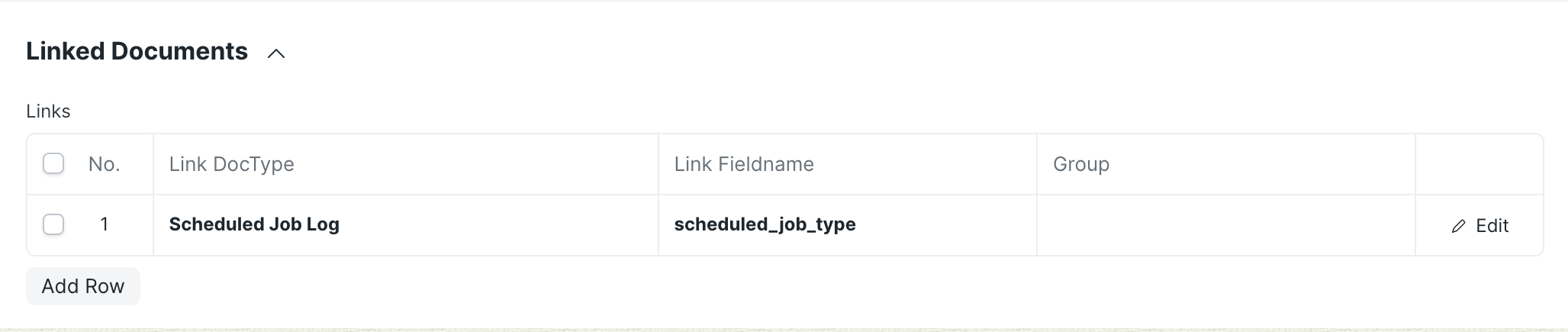
在仪表板上的连接部分是文档类型视图的标准导航辅助工具。这有助于查看者一目了然地识别哪些文档类型与此文档类型连接,并可以快速创建新的相关文档。
这些链接还支持添加内部链接(链接到子表中的文档类型)。
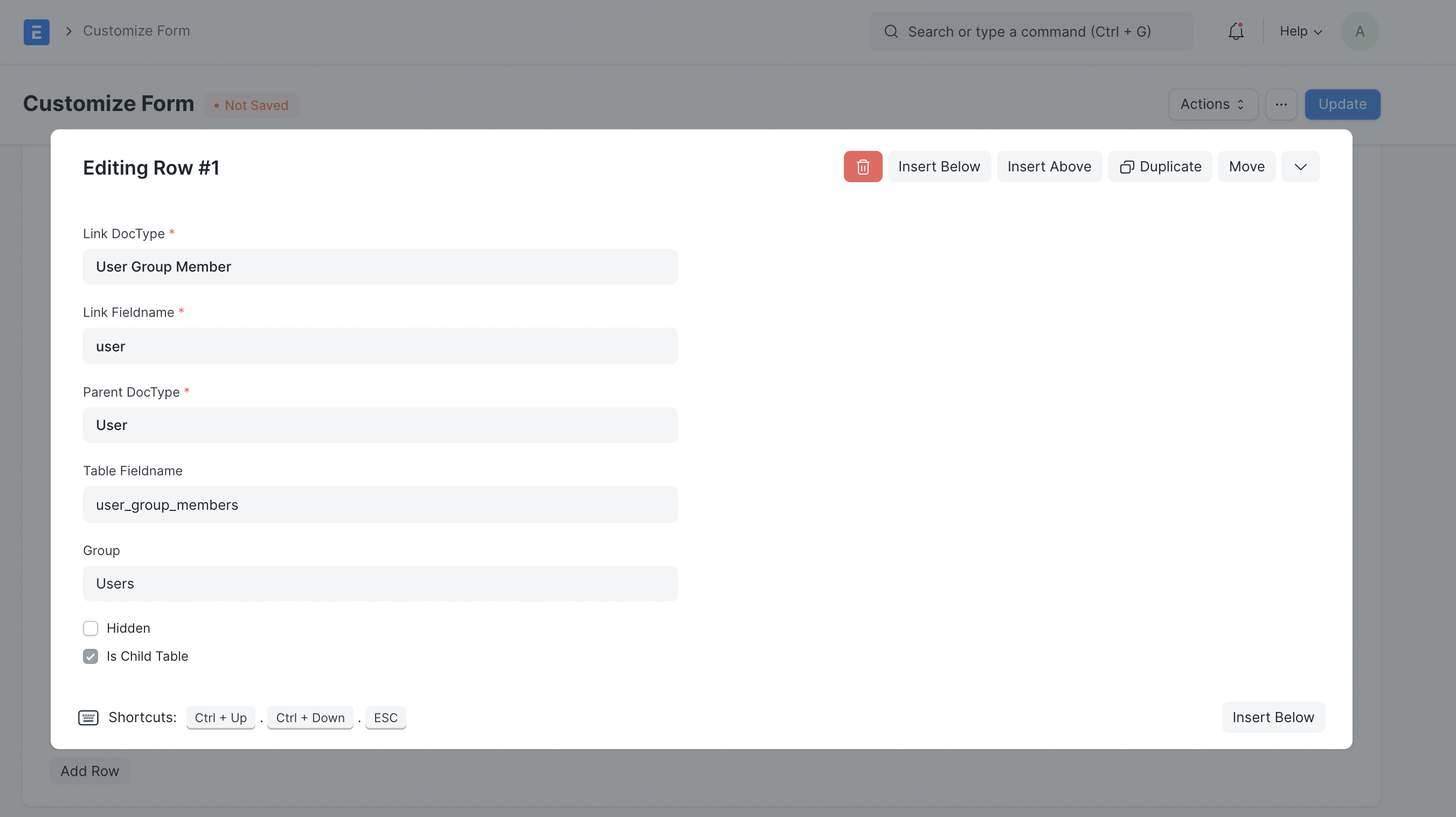
# 配置连接
# 通过脚本
要为您的应用中的文档类型配置连接,请在<doctype>_dashboard.py中创建一个get_data()函数。以下是来自ERPNext的sales_invoice_dashboard.py的Sales Invoice文档类型的示例:
from frappe import _

def get_data():
    return {
        "fieldname": "sales_invoice",
        "non_standard_fieldnames": {
            "Delivery Note": "against_sales_invoice",
            "Journal Entry": "reference_name",
            "Payment Entry": "reference_name",
            "Payment Request": "reference_name",
            "Sales Invoice": "return_against",
            "Auto Repeat": "reference_document",
            "Purchase Invoice": "inter_company_invoice_reference",
        },
        "internal_links": {
            "Sales Order": ["items", "sales_order"],
            "Timesheet": ["timesheets", "time_sheet"],
        },
        "internal_and_external_links": {
            "Delivery Note": ["items", "delivery_note"],
        },
        "transactions": [
            {
                "label": _("Payment"),
                "items": [
                    "Payment Entry",
                    "Payment Request",
                    "Journal Entry",
                    "Invoice Discounting",
                    "Dunning",
                ],
            },
            {"label": _("Reference"), "items": ["Timesheet", "Delivery Note", "Sales Order"]},
            {"label": _("Returns"), "items": ["Sales Invoice"]},
            {"label": _("Subscription"), "items": ["Auto Repeat"]},
            {"label": _("Internal Transfers"), "items": ["Purchase Invoice"]},
        ],
    }
2
3
4
5
6
7
8
9
10
11
12
13
14
15
16
17
18
19
20
21
22
23
24
25
26
27
28
29
30
31
32
33
34
35
36
37
38
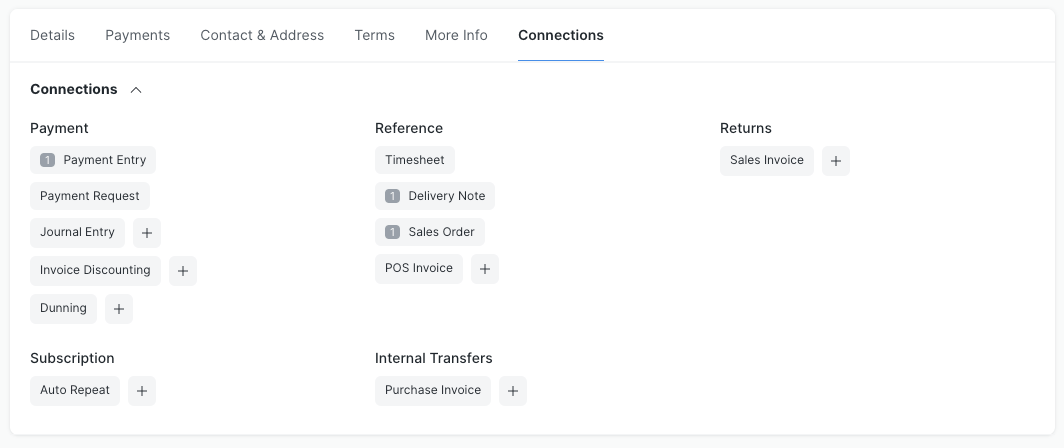
transactions定义了所有的连接以及它们所属的相应组。internal_links定义了文档类型具有内部链接的连接。例如,销售发票通过其项目子表与销售订单文档类型有内部链接。internal_and_external_links定义了文档类型同时具有内部和外部链接的连接。例如,销售发票通过其项目子表与发货单文档类型有内部链接,同时销售发票也通过其项目子表与发货单文档类型有外部链接。fieldname定义了在查找文档类型的外部链接时默认要搜索的字段名。non_standard_fieldnames定义了在查找文档类型的外部链接时要搜索的字段名及其相应的文档类型。
这将产生以下连接:
# 动作和链接的定制
文档类型的动作和链接可以通过自定义表单进行扩展